Best Projector for Watching the Super Bowl
The Super Bowl is more than just a game. It’s a national event, a cultural phenomenon, and the ultimate gathering for friends and family. Whether you’re in it for the football, the halftime show, or the commercials, one thing is certain: the experience is better on a big screen.
While many people settle for a large TV, nothing captures the excitement quite like a projector. With a projector, you can enjoy the Super Bowl on a 100–150 inch screen that feels as close as possible to being at the stadium. In this guide, we’ll break down what makes a projector ideal for the big game and share the best models for an unforgettable Super Bowl party.
Click here to check out the best projectors…
Why a Projector Is Perfect for the Super Bowl
- Immersive Screen Size
The Super Bowl deserves more than 65 inches. Projectors make it easy to enjoy wall-sized images without breaking the bank. - Group-Friendly Viewing
A larger display ensures everyone at your party has a good view, even in big groups. - Versatility
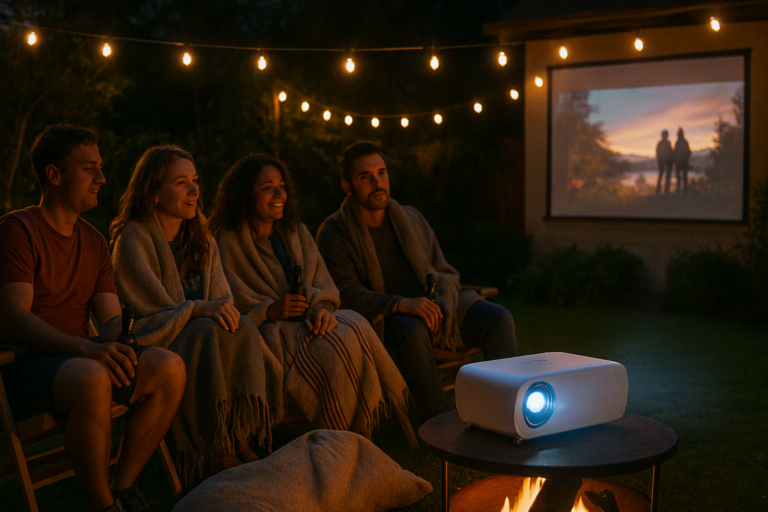
Use your projector indoors for cozy living room viewing or take it outside for a backyard tailgate experience. - Game-Day Atmosphere
The combination of massive visuals and booming sound brings the energy of the stadium into your home.
Features to Look for in a Super Bowl Projector
- Brightness: At least 3000 lumens for indoor setups and 4000+ for outdoor use.
- Resolution: Full HD is the minimum, but 4K UHD ensures every play looks razor-sharp.
- Refresh Rate: A projector that supports 120Hz or higher will keep fast motion smooth.
- Input Lag: Low input lag ensures live broadcasts stay in sync without delays.
- Connectivity: HDMI ports for cable boxes, streaming sticks, or live TV apps.
- Audio: Built-in speakers help, but a soundbar or surround system completes the experience.
Best Projectors for Watching the Super Bowl
1. BenQ TK850i
- True 4K UHD resolution.
- 3000 lumens brightness.
- Sports mode optimized for live events.
Why it’s great: Specifically designed with sports in mind, the TK850i delivers lifelike colors, smooth motion, and sharp detail that make football look incredible.
2. Epson Home Cinema 3800
- 4K PRO-UHD with HDR.
- 3000 lumens brightness.
- Excellent color reproduction with 3LCD technology.
Why it’s great: Bright, sharp, and versatile, this projector is perfect for living rooms and indoor parties where accurate colors and strong contrast matter.
3. Optoma UHD35
- 4K UHD resolution.
- 3600 lumens brightness.
- Input lag as low as 4ms at 1080p/240Hz.
Why it’s great: With high brightness and ultra-low lag, this projector keeps up with the fastest plays. It’s also a great option if your party spills outdoors.
4. Hisense L9G Laser TV
- True 4K UHD resolution.
- TriChroma laser engine for vibrant colors.
- 100- or 120-inch ALR screen included.
Why it’s great: A premium ultra-short throw projector that doubles as a TV replacement. With its included screen and high brightness, it’s perfect for Super Bowl viewing in bright rooms.
5. Anker Nebula Cosmos Max
- 4K UHD resolution.
- Portable design with Dolby Digital Plus speakers.
- Great for smaller gatherings.
Why it’s great: Compact and easy to move, this projector is perfect for casual parties or outdoor setups where portability matters more than brightness.
Indoor vs Outdoor Super Bowl Viewing
- Indoor: Prioritize color accuracy, resolution, and sound. A projector with 3000 lumens will perform well in a dimmed living room.
- Outdoor: Brightness becomes the deciding factor. Look for 4000 lumens or more, and pair the projector with an ALR screen or white wall.
Tips for the Ultimate Super Bowl Projector Setup
- Go Big on the Screen
The Super Bowl deserves a 100–120 inch screen at minimum. If you can, go even bigger. - Upgrade Your Sound
Crowd noise and commentary make the game. Use a soundbar or external speakers for maximum impact. - Set Up Early
Test your projector, streaming device, and internet connection ahead of kickoff to avoid glitches. - Use Sports Mode
Many projectors include a sports mode that enhances brightness and colors for live broadcasts. - Arrange Seating Wisely
A big screen only works if everyone can see it clearly. Spread chairs and couches to maximize the view.
Frequently Asked Questions
Can I watch the Super Bowl on a projector outdoors?
Yes, but you’ll need a projector with at least 4000 lumens and ideally an ALR screen to handle ambient light.
Is 4K necessary for the Super Bowl?
Not required, but 4K enhances detail and sharpness, especially on screens larger than 100 inches.
What’s the cheapest option for a Super Bowl projector?
Models like the BenQ MW535A or budget 1080p projectors can work, but for the best experience, aim for at least Full HD with 3000 lumens.
Do I need a special screen?
A screen is ideal for brightness and contrast, but a white wall can work if you’re on a budget.
Conclusion
Watching the Super Bowl on a projector transforms the event into a stadium-like experience. The combination of a massive screen, bright colors, and powerful sound makes every touchdown more exciting and every halftime show more spectacular.
- For the best all-rounder, the BenQ TK850i is built for sports.
- For versatility indoors, the Epson Home Cinema 3800 shines.
- For bright, outdoor viewing, the Optoma UHD35 is a standout choice.
- For premium performance, the Hisense L9G offers a true TV replacement experience.
- For casual parties, the Anker Nebula Cosmos Max delivers portability and ease of use.
If you’re hosting a Super Bowl party this year, investing in the right projector will turn your living room or backyard into the ultimate fan zone.